
The Ultimate Guide to the Best Drawing Tablets for Digital Artists in 2024
Embarking on the journey of digital art requires the right tools, and at the heart of every creative professional's setup lies the perfect drawing tablet. As a professional SEO expert and content strategist, I understand that finding the best drawing tablets for digital artists isn't just about picking a device; it's about investing in a powerful extension of your creative vision. This comprehensive guide will dissect the nuances of various graphics tablets, helping you navigate the vast market to find the ideal companion for your artistic endeavors, whether you're a seasoned illustrator or just starting your digital art journey. Prepare to unlock unparalleled precision, fluidity, and control that will revolutionize your digital illustration and design workflow.
Understanding the Landscape of Digital Drawing Tablets
Before diving into specific recommendations, it’s crucial to grasp the fundamental types of drawing tablets available. Each category caters to different needs, budgets, and artistic preferences, making an informed choice paramount for optimizing your artist workflow. Understanding these distinctions is the first step towards selecting the perfect tool.
Types of Drawing Tablets Explained
- Pen Tablets (Graphics Tablets): These are screenless devices that connect to your computer. You draw on the tablet surface while looking at your computer monitor. They are often the most affordable option and excellent for developing hand-eye coordination. Key brands include Wacom Intuos and XP-Pen Deco series.
- Pen Displays (Interactive Pen Displays): These tablets feature a screen that you draw directly on, offering a more intuitive and natural drawing experience, akin to traditional pen and paper. They still connect to a computer. Popular examples are Wacom Cintiq, Huion Kamvas, and XP-Pen Artist series. This category often appeals to creative professionals seeking direct visual feedback.
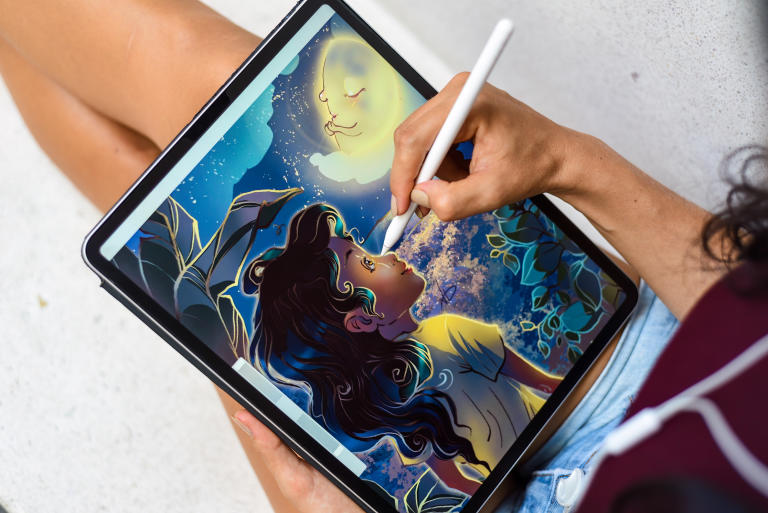
- Standalone Tablets (Tablet Computers with Pen Support): These are all-in-one devices that function as full computers, running operating systems like Windows, iOS, or Android. They don't require connection to an external computer, offering ultimate portability. Examples include the iPad Pro with Apple Pencil, Microsoft Surface Pro, and Samsung Galaxy Tab S series. They are versatile for both drawing and general computing tasks, making them ideal for artists on the go.
Critical Factors to Consider When Choosing Your Drawing Tablet
Selecting the right drawing tablet involves more than just brand recognition. A deep dive into technical specifications and practical features will ensure your investment genuinely enhances your digital art tools arsenal. Pay close attention to these key aspects:
1. Pressure Sensitivity: The Soul of Digital Brushes
The ability of a tablet to detect varying levels of pressure applied by the stylus is fundamental. Measured in levels (e.g., 2048, 4096, 8192), higher pressure sensitivity allows for finer control over line thickness, opacity, and brush effects. For professional-grade digital illustration, 8192 levels are standard and highly recommended, offering unparalleled nuance and expressiveness.
2. Resolution (LPI/PPI): Precision in Every Stroke
For pen tablets, resolution is measured in Lines Per Inch (LPI), indicating how many lines the tablet can detect per inch. Higher LPI means greater precision and detail capture. For pen displays, it's Pixels Per Inch (PPI) or simply the screen resolution (e.g., 1920x1080 Full HD, 2560x1440 QHD, 3840x2160 4K). A higher resolution on pen displays translates to sharper images and more working space, crucial for intricate graphic design work.
3. Screen Size and Aspect Ratio: Your Digital Canvas
The physical size of the drawing area or screen significantly impacts comfort and workflow. Smaller tablets (6-8 inches) are portable and budget-friendly, suitable for beginners or quick sketches. Mid-sized (10-16 inches) offer a good balance of portability and workspace. Large tablets (20+ inches) provide an expansive canvas, ideal for professional studio environments where intricate detail and comfortable posture are paramount. Consider your desk space and how much arm movement you prefer.
4. Color Accuracy and Gamut (for Pen Displays): True to Life Hues
For artists working with color-critical projects, the display's color accuracy is vital. Look for tablets that cover a high percentage of industry-standard color gamuts like sRGB, Adobe RGB, or DCI-P3. A display with excellent color reproduction ensures that what you see on your screen accurately reflects the final output, preventing frustrating color shifts. This is particularly important for print media and professional digital painting.
5. Stylus (Pen) Features: Your Primary Interface
The quality of the stylus is as important as the tablet itself. Key features to consider include:
- Battery-free (EMR technology): Most professional pens use Electromagnetic Resonance (EMR) technology, meaning they don't require charging, which is incredibly convenient.
- Tilt Recognition: Allows for natural shading and brush strokes by detecting the angle of the pen.
- Eraser and Programmable Buttons: Enhance efficiency, allowing quick access to common functions without reaching for the keyboard.
- Comfort and Ergonomics: A well-balanced and comfortable pen reduces fatigue during long drawing sessions.
6. Connectivity and Compatibility: Seamless Integration
Ensure the tablet is compatible with your operating system (Windows, macOS, Chrome OS, Android) and your preferred drawing software (e.g., Adobe Photoshop, Clip Studio Paint, Krita, Procreate). Check the connection type (USB-A, USB-C, HDMI, DisplayPort) and cable requirements. Wireless options (Bluetooth) offer greater freedom but might introduce latency.
7. Build Quality and Durability: A Long-Term Investment
A drawing tablet is an investment. Look for devices made from robust materials that can withstand daily use. Read reviews regarding screen durability, pen nib wear, and overall construction quality.
8. Price and Brand Reputation: Balancing Value and Trust
While Wacom has long been the industry standard, brands like Huion and XP-Pen offer excellent alternatives at more competitive price points without compromising significantly on performance. Set a budget, but be prepared to invest more for professional-grade features and reliability. Researching user reviews and professional endorsements can provide valuable insights into a brand's reliability and customer support.
Top Picks: Best Drawing Tablets for Digital Artists in 2024
Based on the factors above, here are some of the most highly regarded drawing tablets across various categories, catering to different needs and budgets for artists and creative professionals.
Best Overall Professional Pen Display: Wacom Cintiq Pro Series
The Wacom Cintiq Pro line (e.g., Cintiq Pro 24, 32) represents the pinnacle of pen display technology. With stunning 4K screen resolution, exceptional color accuracy (up to 99% Adobe RGB), and the highly responsive Pro Pen 2 offering 8192 levels of pressure sensitivity and tilt support, these devices are built for the most demanding digital painting and animation tasks. They offer a truly immersive experience, though they come with a premium price tag. For those serious about their craft, it's an investment in unparalleled performance and reliability.
Best Value Pen Display: Huion Kamvas Pro / XP-Pen Artist Pro Series
Huion and XP-Pen have emerged as strong contenders, offering features comparable to Wacom at a fraction of the cost. The Huion Kamvas Pro series (e.g., Kamvas Pro 16, 24) and XP-Pen Artist Pro series (e.g., Artist Pro 16, 24) provide excellent screen quality (often 1080p or 2K), high pressure sensitivity, and robust build quality. They are fantastic choices for artists seeking a direct-to-screen drawing experience without breaking the bank. Their pens are often battery-free and support tilt, making them highly competitive graphics drawing devices.
Best Pen Tablet (Screenless) for Beginners & Professionals: Wacom Intuos Pro
For artists who prefer the traditional pen tablet experience or need a compact, durable option, the Wacom Intuos Pro series remains the gold standard. It offers incredible pressure sensitivity (8192 levels), tilt response, and customizable ExpressKeys. The textured surface provides a tactile feel, mimicking paper. It's an excellent choice for beginners to learn hand-eye coordination and for seasoned professionals who value precision and portability. The Intuos Pro is a workhorse, ideal for digital illustration, photo editing, and graphic design.
Best Budget-Friendly Drawing Tablet: XP-Pen Deco / Huion Inspiroy Series
If you're just starting or on a tight budget, the XP-Pen Deco series (e.g., Deco 01 V2) or Huion Inspiroy series (e.g., Inspiroy H640P) offer remarkable value. These screenless tablets provide solid performance with good pressure sensitivity (often 8192 levels), battery-free pens, and programmable shortcut keys. They are perfect for aspiring artists to get a feel for digital art without a significant financial commitment, serving as excellent entry-level digital art pads.
Best Standalone Tablet for Portability & Versatility: iPad Pro with Apple Pencil
The iPad Pro, especially coupled with the Apple Pencil 2, has revolutionized mobile digital art. Running iPadOS, it supports powerful apps like Procreate, Affinity Photo, and Clip Studio Paint. Its stunning Liquid Retina XDR display, incredible processing power (M1/M2 chip), and the Apple Pencil's precise pressure sensitivity and low latency make it an exceptional standalone drawing machine. While not a dedicated drawing tablet in the traditional sense, its versatility as a full-fledged computer, combined with its drawing capabilities, makes it an indispensable tool for many artists, particularly those who travel or prefer working untethered. It excels in both digital painting and quick sketching.
Optimizing Your Digital Art Workflow with Your New Tablet
Acquiring the best drawing tablet is just the beginning. Maximizing its potential requires thoughtful setup and integration into your daily artist workflow.
Practical Tips for Maximizing Your Tablet's Potential
- Customize ExpressKeys and Touch Rings: Most tablets come with programmable buttons and touch-sensitive rings. Assign frequently used shortcuts (e.g., undo, zoom, brush size, layer navigation) to these controls to dramatically speed up your workflow and reduce reliance on the keyboard.
- Calibrate Your Display (for Pen Displays): Ensure your monitor and tablet display are color-calibrated. This guarantees consistent colors across your entire setup, crucial for accurate color accuracy in your artwork.
- Adjust Pen Pressure Curve: Dive into your tablet's driver settings. You can often customize the pen's pressure response curve to match your drawing style, making it feel more natural and responsive. Some artists prefer a lighter touch, others a firmer one.
- Maintain Your Tablet and Stylus: Regularly clean your tablet screen with a soft, lint-free cloth. Replace worn-out pen nibs promptly to prevent scratching the surface and ensure consistent performance. This extends the lifespan of your valuable digital art tools.
- Explore Different Software: While Adobe Photoshop is popular, don't limit yourself. Experiment with other specialized drawing software like Clip Studio Paint (for comics/manga), Krita (free and open-source), or Procreate (iPad). Each offers unique features that might better suit your artistic needs.
- Ergonomics are Key: Position your tablet and monitor to prevent strain. Use an adjustable stand for pen displays to find a comfortable drawing angle. Ensure your chair and desk setup support good posture during long creative sessions.
Frequently Asked Questions
What is the difference between a pen tablet and a pen display, and which is better for digital artists?
A pen tablet (screenless) requires you to draw on its surface while looking at your computer monitor, developing hand-eye coordination. A pen display (with a screen) allows you to draw directly on the display itself, offering a more intuitive and natural experience akin to traditional drawing. Neither is inherently "better"; it depends on your preference, budget, and learning style. Pen displays often provide a more immersive experience for digital illustration and graphic design, while pen tablets are more affordable and portable, excellent for developing fundamental skills or for artists who prefer looking at a larger main monitor. Many professional artists use both.
How much pressure sensitivity do I really need in a drawing tablet?
While some entry-level tablets offer 2048 or 4096 levels of pressure sensitivity, 8192 levels have become the industry standard for professional drawing tablets. Higher levels allow for more nuanced control over line thickness, opacity, and brush dynamics, making your strokes feel incredibly natural and expressive. For serious digital painting and detailed work, 8192 levels are highly recommended, as they provide the fine control necessary to fully realize your artistic vision. For beginners, 4096 levels can be sufficient to start.
Can I use any drawing tablet with any digital art software?
Generally, most major drawing tablets are compatible with popular drawing software across Windows and macOS, such as Adobe Photoshop, Clip Studio Paint, Krita, Corel Painter, and Affinity Photo. However, it's always crucial to check the specific compatibility requirements listed by both the tablet manufacturer and the software developer. Standalone tablets like the iPad Pro run their own operating systems (iPadOS) and have their own app ecosystems (e.g., Procreate, which is exclusive to iPad). Always verify that your chosen tablet and software will work seamlessly together before making a purchase to ensure a smooth artist workflow.
Are more expensive drawing tablets always better for digital artists?
Not necessarily. While high-end tablets like the Wacom Cintiq Pro series offer premium features, superior build quality, and exceptional performance, their price point can be prohibitive for many. Mid-range options from brands like Huion and XP-Pen now provide excellent value, often delivering 90% of the performance of their more expensive counterparts at a significantly lower cost. For many artists, especially those who are not full-time professionals or those just starting out, a moderately priced tablet can offer all the features and precision needed for stunning digital art. The "best" tablet is the one that fits your specific needs, budget, and artistic goals.

0 Komentar