
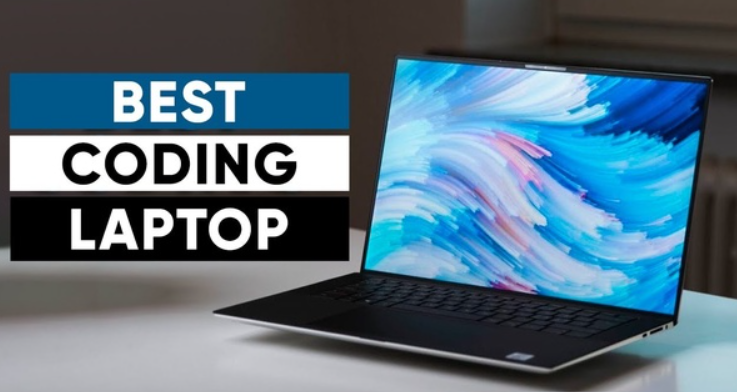
The Ultimate Guide: Best Laptops for Programming and Coding in 2024
Are you a programmer, developer, or aspiring coder searching for the perfect laptop that can handle the rigors of software development? Choosing the right developer workstation is paramount to your productivity and overall coding experience. This comprehensive guide delves deep into the essential specifications, critical features, and top considerations to help you select the absolute best laptops for programming and coding. We'll equip you with the knowledge to make an informed decision, ensuring your next machine isn't just a purchase, but a powerful investment in your coding journey.
Understanding the Core Needs of a Programming Laptop
Unlike a general-purpose laptop, a machine dedicated to software development requires a specific blend of power, reliability, and ergonomic design. Every line of code, every compilation, and every debugging session stresses different components of your system. To ensure a seamless workflow, we need to look beyond marketing hype and focus on what truly matters for a professional coding machine.
Processor (CPU): The Brain of Your Coding Machine
The CPU is arguably the most critical component for a programmer. It dictates your compilation speed, the responsiveness of your Integrated Development Environment (IDE), and your ability to run virtual machines or multiple containers simultaneously. For serious programming, aim for:
- Intel Core i7 or i9 (12th Gen or newer): These offer excellent single-core performance, crucial for many IDEs, and sufficient multi-core power for parallel tasks.
- AMD Ryzen 7 or Ryzen 9 (6000 series or newer): AMD's recent offerings provide exceptional multi-core performance, making them fantastic for tasks like compiling large codebases, data processing, or running multiple virtual environments.
- Processor power is not just about clock speed; consider core count, thread count, and cache size for optimal performance in demanding programming tasks.
RAM (Memory): Fueling Your Development Environment
Modern software development often involves running several resource-intensive applications concurrently: your IDE, multiple browser tabs for documentation, a database server, a local web server, and perhaps a virtual machine. This demands substantial RAM.
- Minimum 16GB: This is the absolute baseline for comfortable programming. Anything less will lead to frequent slowdowns and frustrating lags, especially when dealing with larger projects or frameworks like Java, Android Studio, or Docker.
- Recommended 32GB: For professional developers, data scientists, or anyone working with machine learning models, 32GB of RAM is highly recommended. It provides ample headroom for future projects and ensures truly robust performance.
- Memory requirements are often underestimated. Investing in more RAM upfront can save you significant time and frustration down the line.
Storage (SSD): Speeding Up Your Workflow
The days of mechanical hard drives for programming are long gone. Solid State Drives (SSDs) are non-negotiable due to their blazing fast read/write speeds, which significantly impact boot times, application loading, and project compilation.
- NVMe SSD: Prioritize NVMe (Non-Volatile Memory Express) SSDs over traditional SATA SSDs. NVMe drives are significantly faster, connecting directly to the PCIe bus.
- Capacity:
- 512GB: A good starting point, but you might find yourself managing space frequently.
- 1TB or more: Highly recommended. This provides ample space for operating systems, multiple IDEs, project files, datasets, and virtual machines without constant worry about storage limitations.
- Fast storage contributes directly to a smoother code debugging experience and quicker project loading.
Display: Your Window to the Code
A good display is crucial for eye comfort during long coding sessions and for managing multiple windows.
- Resolution: A Full HD (1920x1080) display is the minimum. However, a 4K (3840x2160) or QHD (2560x1440) display offers significantly more screen real estate, allowing you to view more code, documentation, or multiple IDE panels without constant scrolling. This directly impacts your display resolution preference.
- Size: 13-inch laptops offer portability, but 14-inch, 15-inch, or even 16-inch models provide more comfortable viewing and better multi-tasking capabilities.
- Panel Type: IPS (In-Plane Switching) panels offer wider viewing angles and better color accuracy, which is beneficial for design-conscious developers.
Graphics Card (GPU): When It Matters
For most traditional programming, an integrated GPU (like Intel Iris Xe or AMD Radeon Graphics) is sufficient. However, a dedicated GPU becomes essential for specific niches:
- Machine Learning & Data Science: Training neural networks and performing complex data computations heavily rely on powerful NVIDIA (CUDA cores) or AMD GPUs.
- Game Development: If you're building games, a dedicated GPU is a must for real-time rendering and testing.
- Video Editing/3D Rendering: While not strictly programming, if your workflow includes these, a discrete GPU is vital.
- For general web development or backend programming, spending extra on a high-end GPU might not be the most efficient allocation of your budget.
Keyboard & Trackpad: Your Primary Interface
As a programmer, your hands will spend countless hours on the keyboard. This makes keyboard comfort and layout paramount.
- Key Travel & Feedback: Look for a keyboard with good key travel and tactile feedback. Shallow or mushy keyboards can lead to fatigue and errors.
- Layout: Ensure the layout is standard and comfortable. Backlighting is a huge plus for working in low-light environments.
- Trackpad: A precise and responsive trackpad is important, though many developers prefer an external mouse for extended sessions.
Battery Life & Portability: For the On-the-Go Coder
If you frequently work from cafes, co-working spaces, or during commutes, battery life is a key consideration. Aim for at least 8-10 hours of real-world usage. Portability (weight and thickness) also plays a role in your overall experience as a mobile developer workstation.
Operating System (OS): Your Development Ecosystem
The choice of operating system significantly influences your development workflow and tool availability.
- macOS: Popular among web and mobile developers (especially iOS). Offers a Unix-based environment, excellent build quality, and a strong ecosystem.
- Windows: Dominant for .NET development, game development, and increasingly versatile with WSL (Windows Subsystem for Linux) providing a robust Linux environment directly within Windows.
- Linux: The native environment for many open-source projects, server-side development, and data science. Offers unparalleled control and customization. Many developers prefer to install a Linux distribution on their chosen hardware.
Top Considerations for Choosing Your Programming Laptop
Future-Proofing Your Investment
Technology evolves rapidly. While you can't perfectly predict the future, choosing a laptop with higher-end specifications (e.g., 32GB RAM instead of 16GB, a larger SSD) will ensure your machine remains capable for several years, handling new frameworks and larger projects without needing an immediate upgrade.
Budget vs. Performance
Determine your budget range first. While a top-tier machine offers the best experience, excellent mid-range options can still provide a solid programming environment. Prioritize CPU, RAM, and SSD over a dedicated GPU unless your specific niche demands it. Remember, this is an investment in your career.
Ergonomics and Build Quality
You'll be spending countless hours with your laptop. A sturdy build, efficient cooling system (to prevent thermal throttling), and comfortable ergonomics are crucial for long-term productivity and health. Look for laptops with good ventilation and a reputation for reliability.
Optimizing Your Laptop for Peak Coding Performance
Once you have your ideal coding machine, there are steps you can take to further optimize it for software development:
- Keep Your OS Lean: Uninstall unnecessary bloatware. For Windows users, consider a fresh install if possible to remove OEM customizations.
- Optimize IDE Settings: Modern IDEs like VS Code, IntelliJ IDEA, or Eclipse offer extensive customization. Tweak settings for performance, disable unnecessary plugins, and adjust memory allocations.
- Regular Updates: Keep your operating system, drivers, and development tools updated. These often include performance enhancements and bug fixes.
- Efficient Workspace: Use external monitors for extended screen real estate. A mechanical keyboard and ergonomic mouse can significantly improve comfort and reduce strain.
- Version Control: Utilize Git or other version control systems effectively. This not only manages your code but can also help in managing project history efficiently.
- Containerization: Leverage Docker or similar tools for consistent development environments, minimizing "it works on my machine" issues and optimizing resource usage for specific projects.
Frequently Asked Questions
How much RAM do I really need for coding?
For most programming tasks, 16GB of RAM is the minimum recommended. This allows you to comfortably run an IDE, a web browser with multiple tabs, and perhaps a local server. However, if you're involved in data science, machine learning, mobile development (especially Android Studio), or frequently use virtual machines/containers, 32GB of RAM is highly recommended to ensure smooth, uninterrupted workflow and prevent slowdowns during compilation or heavy processing. It future-proofs your developer workstation.
Is a dedicated GPU necessary for programming?
For the vast majority of programming tasks, such as web development, backend development, or general application development, a dedicated GPU is not necessary. An integrated GPU is perfectly sufficient. However, a dedicated GPU becomes essential for specific niches like machine learning (training models with CUDA or ROCm), game development, 3D rendering, or video editing. If your work involves these, invest in a powerful NVIDIA (RTX series) or AMD (Radeon RX series) graphics card.
Mac vs. Windows vs. Linux for developers – which is best?
The "best" operating system choice for developers largely depends on personal preference, the specific technologies you work with, and your ecosystem needs.
- macOS: Excellent for iOS/macOS development, popular among web developers due to its Unix-based terminal, and offers a premium user experience.
- Windows: Dominant for .NET, game development, and now offers robust Linux compatibility via WSL (Windows Subsystem for Linux), making it versatile for cross-platform development.
- Linux: The preferred choice for open-source development, server-side programming, and environments where maximum control and customization are desired. Many developers dual-boot or run Linux in a VM.
Can I use a gaming laptop for programming?
Yes, absolutely! Gaming laptops often come with powerful CPUs, ample RAM, fast SSDs, and excellent cooling systems – all components highly beneficial for programming. While their dedicated GPUs might be overkill for many programming tasks, they don't hinder performance and are an advantage if you venture into AI/ML or game development. Just be mindful of their potentially shorter battery life and often bulkier form factor compared to sleeker Ultrabooks. Many consider them excellent "coding machines" due to their robust performance.

0 Komentar