
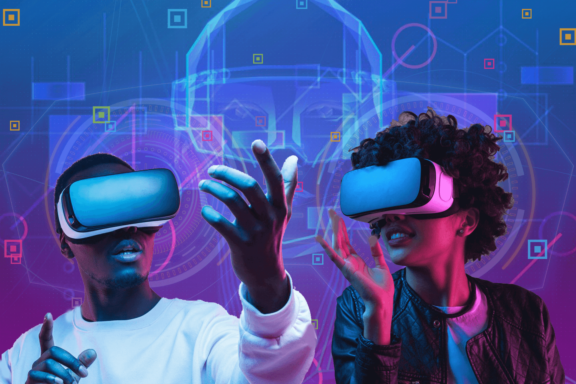
Revolutionizing Remote Work: The Power of Virtual Reality for Remote Collaboration Tools
In an increasingly distributed global workforce, the quest for truly engaging and effective remote interaction is paramount. Virtual reality for remote collaboration tools emerges as a groundbreaking solution, transc transcending the limitations of traditional video conferencing to offer an unprecedented sense of presence and immersion. This technology isn't just a futuristic concept; it's rapidly becoming a vital component for businesses seeking to enhance productivity, foster stronger team bonds, and unlock new dimensions of creativity within their remote and hybrid work models. Dive into how immersive collaboration in virtual environments is reshaping the landscape of digital workspaces.
The Imperative for Immersive Remote Collaboration
The shift to remote and hybrid work has brought undeniable benefits, but also highlighted persistent challenges, particularly around communication, engagement, and the feeling of connection among team members. Standard video calls, while functional, often lack the nuance of in-person interactions, leading to "Zoom fatigue" and a diminished sense of shared space. This is where virtual reality collaboration tools step in, offering a robust alternative that addresses these pain points head-on.
By simulating physical meeting spaces, design studios, or even entirely new, fantastical environments, VR platforms allow participants to interact in ways previously impossible without being physically together. This heightened sense of presence technology is crucial for complex discussions, brainstorming sessions, and projects requiring intricate spatial understanding. Organizations are discovering that investing in enterprise VR solutions is not merely a tech upgrade but a strategic move towards a more connected, productive, and innovative workforce.
Key Benefits of Leveraging VR for Remote Teams
- Enhanced Presence and Engagement: Unlike flat video feeds, VR creates a shared 3D space where users feel truly present. Avatars provide non-verbal cues, and spatial audio allows for natural conversations, significantly reducing feelings of isolation and increasing engagement.
- Improved Communication and Understanding: Complex ideas, 3D models, or architectural designs can be reviewed, manipulated, and discussed collaboratively in a shared virtual environment, leading to clearer understanding and fewer misinterpretations.
- Reduced Travel Costs and Environmental Impact: Businesses can conduct global meetings, training sessions, and product reviews without the need for expensive and carbon-intensive travel, aligning with sustainability goals.
- Boosted Creativity and Innovation: The immersive nature of VR encourages out-of-the-box thinking. Teams can visualize data in new ways, prototype designs instantly, and brainstorm in dynamic, interactive virtual workspaces.
- Overcoming "Zoom Fatigue": The active and interactive nature of VR meetings, combined with the novelty of the experience, can alleviate the mental exhaustion associated with prolonged 2D video calls.
- Accessibility for Global Talent: Companies can tap into a wider talent pool, as geographical location becomes less of a barrier when virtual reality collaboration facilitates seamless interaction regardless of physical distance.
Core Features of Leading Virtual Reality Collaboration Tools
Modern VR collaboration platforms are designed with a rich suite of features that facilitate effective teamwork. Understanding these functionalities is key to selecting the right tool for your organizational needs. These tools often integrate elements of spatial computing to create highly interactive and intuitive user experiences.
Interactive Elements and Functionalities
- Customizable Avatars: Users can create personalized avatars that represent them in the virtual space, allowing for identity and non-verbal communication through gestures and expressions.
- Shared 3D Environments: From realistic meeting rooms to fantastical landscapes, these environments provide a backdrop for interaction. Many allow for customization to reflect company branding or specific project needs.
- Whiteboards and Annotation Tools: Digital whiteboards and sticky notes allow for real-time brainstorming, drawing, and annotation, mimicking traditional in-person collaboration tools but with enhanced capabilities like infinite canvas space.
- 3D Model Viewing and Manipulation: Crucial for design, engineering, and manufacturing, this feature enables teams to upload, review, and collaboratively manipulate 3D models, whether it's a new product prototype or an architectural blueprint.
- Spatial Audio: This fundamental feature ensures that sound comes from the direction of the speaker's avatar, allowing for natural conversations where multiple discussions can occur simultaneously without crosstalk, just like in a physical room.
- File Sharing and Presentation Capabilities: Users can share documents, images, videos, and presentations directly within the virtual environment, projecting them onto virtual screens or manipulating them as 3D objects.
- Screen Sharing: The ability to share a desktop screen within the VR environment allows for demonstrations of software, websites, or any 2D content in a shared, immersive context.
- Breakout Rooms and Private Conversations: Facilitating smaller group discussions or one-on-one chats within a larger meeting, mirroring the functionality of physical conference spaces.
Implementing Virtual Reality for Remote Collaboration: A Practical Guide
Adopting virtual reality for remote collaboration tools requires careful planning and execution. It's not just about purchasing headsets; it's about integrating a new paradigm of interaction into your existing workflows. Successful implementation hinges on strategic choices regarding hardware, software, and user adoption.
Choosing the Right Hardware and Software
The market for VR headsets and software platforms is rapidly evolving. When considering hardware, factors like comfort, standalone capability (no PC required), resolution, and tracking accuracy are crucial. Popular choices include the Meta Quest series, Pico Neo, and for high-fidelity experiences, PC-tethered headsets like the Valve Index or HTC Vive. For software, evaluate platforms based on:
- Specific Use Cases: Do you need it primarily for meetings, design reviews, training, or social gatherings?
- Scalability: Can the platform support your team's growth?
- Security Features: Data encryption, access controls, and compliance are paramount for enterprise use.
- Ease of Use: An intuitive interface and minimal learning curve are vital for user adoption.
- Integration Capabilities: Can it integrate with existing communication tools, project management software, or 3D modeling tools?
Examples of leading XR platforms for collaboration include Meta Horizon Workrooms, Spatial, Engage VR, and Varjo Workspace. Each offers unique strengths tailored to different collaborative needs, from virtual meeting rooms to complex engineering visualization.
Best Practices for Successful VR Adoption
Introducing new technology can be met with resistance. To ensure a smooth transition and maximize the benefits of virtual reality for remote collaboration, consider these actionable tips:
- Start Small with Pilot Programs: Don't roll out VR to the entire company at once. Begin with a small, enthusiastic team to test the waters, gather feedback, and identify best practices.
- Provide Comprehensive Training: Many users will be new to VR. Offer clear, step-by-step tutorials, hands-on workshops, and readily available support to help them get comfortable with the hardware and software.
- Define Clear Objectives and Use Cases: Don't use VR just for the sake of it. Identify specific tasks or meetings where VR can genuinely add value beyond traditional methods. For instance, for remote product design reviews or immersive training simulations.
- Establish VR Etiquette and Guidelines: Just like in a physical office, establish norms for virtual interactions, such as avatar customization, spatial audio usage, and managing distractions.
- Encourage Regular Use: The more teams use VR, the more comfortable and efficient they will become. Integrate VR sessions into regular workflows where appropriate.
- Gather and Act on User Feedback: Continuously solicit feedback from users to identify pain points, suggest improvements, and refine your VR adoption strategy.
- Ensure Accessibility: Consider physical accessibility for all users, including those with motion sickness sensitivities or other physical limitations. Some platforms offer comfort modes or seated experiences.
Overcoming Challenges in VR Remote Collaboration
While the promise of virtual reality for remote collaboration tools is immense, there are challenges that organizations must be prepared to address. Understanding these potential hurdles allows for proactive solutions and smoother integration.
- Initial Cost of Hardware: High-quality VR headsets can represent a significant upfront investment, especially for large teams. However, costs are decreasing, and the long-term benefits often outweigh the initial outlay.
- Motion Sickness and Discomfort: Some users may experience motion sickness (cybersickness). Choosing platforms with smooth locomotion options, providing comfortable headsets, and encouraging short initial sessions can help mitigate this.
- Technical Hurdles and Connectivity: Reliable internet connectivity is essential for a seamless VR experience. Technical glitches, software updates, and hardware maintenance can also be a concern.
- Learning Curve: While VR interfaces are becoming more intuitive, there's still a learning curve for new users to navigate 3D environments and interact with virtual objects effectively.
- Privacy and Security Concerns: As with any digital collaboration tool, ensuring data privacy and robust security measures within the virtual environment is critical. Choose platforms with strong encryption and compliance certifications.
- Digital Divide: Not all employees may have access to the necessary hardware or reliable internet at home, potentially creating an unequal playing field.
Addressing these challenges proactively, perhaps through phased rollouts, comprehensive support, and thoughtful platform selection, will pave the way for successful digital transformation in your remote operations. Focus on the value proposition of overcoming communication barriers with truly immersive experiences.
The Future of Work: VR, AI, and the Metaverse for Business
The evolution of virtual reality for remote collaboration tools is intrinsically linked to broader technological trends, including artificial intelligence (AI) and the burgeoning concept of the metaverse. The future promises even more sophisticated and seamless immersive experiences for remote work.
- AI-Powered Avatars and Assistants: AI could power more realistic and expressive avatars, or even virtual AI assistants that help manage meetings, take notes, or provide real-time data insights within the VR environment.
- Haptic Feedback Integration: Imagine feeling the texture of a virtual product or the resistance of a virtual tool. Haptic technology will add a tactile dimension to virtual workspaces, enhancing realism and interaction.
- Mixed Reality (MR) and Augmented Reality (AR): The lines between VR, AR, and MR (often grouped under XR platforms) will blur further. MR could allow for virtual objects to be placed within your physical workspace, offering a blend of digital and real-world collaboration.
- Interoperable Metaverse for Business: The vision of an open, interoperable metaverse where different VR collaboration platforms can seamlessly connect could revolutionize how businesses operate, creating persistent virtual offices and industry-specific virtual hubs.
- Hyper-Realistic Digital Twins: For industries like manufacturing or healthcare, digital twins – virtual replicas of physical objects or systems – will become even more prevalent in VR, allowing for remote monitoring, maintenance, and collaborative design review in real-time.
As these technologies mature, virtual reality for remote collaboration tools will become an indispensable asset for businesses navigating the complexities of a globalized, distributed workforce. The promise of a truly connected and productive remote future is within reach, driven by the power of immersive technology.
Frequently Asked Questions
What is the primary advantage of using virtual reality for remote collaboration over traditional video conferencing?
The primary advantage of using virtual reality for remote collaboration tools is the unparalleled sense of presence and immersion they offer. Unlike 2D video calls that often feel flat and distant, VR creates a shared 3D space where participants feel like they are physically together. This fosters more natural communication through spatial audio and non-verbal cues from avatars, significantly enhancing engagement, reducing "Zoom fatigue," and enabling more effective collaborative problem-solving, especially for tasks involving 3D visualization or spatial understanding.
Are VR collaboration tools suitable for all types of remote teams and tasks?
While virtual reality for remote collaboration tools offers significant benefits, they are particularly well-suited for tasks that benefit from immersive interaction, spatial understanding, or a strong sense of team presence. This includes design reviews, engineering collaboration, product prototyping, immersive training simulations, and high-stakes virtual meetings where non-verbal communication is crucial. For very simple, quick check-ins or text-based communication, traditional tools might suffice. However, for enhancing creativity, fostering deeper connection, and tackling complex projects, immersive collaboration in VR is highly effective for a wide range of remote teams.
What are the typical hardware requirements for engaging in VR remote collaboration?
Engaging in VR remote collaboration typically requires a compatible virtual reality headset. These can range from standalone headsets like the Meta Quest series or Pico Neo, which are self-contained and don't require a PC, to PC-tethered headsets such as the Valve Index or HTC Vive Pro, which offer higher fidelity graphics but require a powerful gaming PC. Beyond the headset, a stable and fast internet connection is crucial for a smooth, lag-free experience. Some platforms may also recommend specific minimum PC specifications if you're using a tethered setup. The trend, however, is towards more accessible, standalone devices for broader adoption of virtual workspaces.

0 Komentar